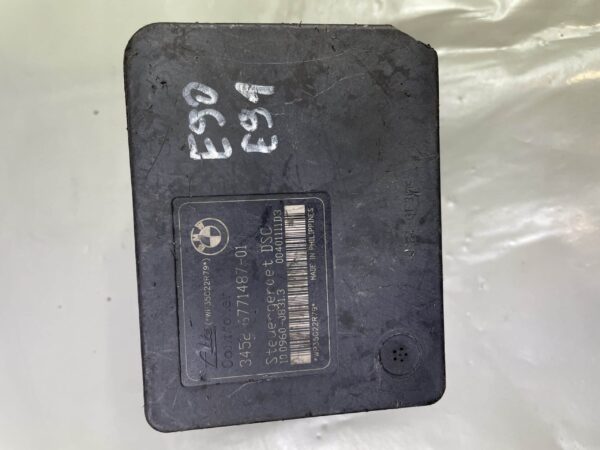


Audi A6 C6 Transmission Control Unit Faults Diagnosis and Repair
The Audi A6 C6 uses an electronically controlled automatic gearbox managed by a dedicated Transmission Control Unit (TCU), also called EGS or Getriebesteuergerät. When this module develops a fault, the car can enter limp mode, refuse to shift properly, or display a series of gearbox warning messages in the instrument cluster. In most cases the underlying problem is either a software fault, internal TCU hardware failure, or moisture ingress into the unit.
What Does the TCU Actually Do?
The TCU on the C6 A6 controls shift timing, torque converter lock-up, pressure regulation and communication with the engine ECU via the CAN bus. It receives input from transmission speed sensors, oil temperature sensors and the selector lever. If any of these inputs look wrong — or if the TCU itself develops an internal fault — the whole gearbox behaviour changes immediately. Drivers usually notice this before any fault light appears.
Common Symptoms of TCU Failure on the Audi A6 C6
- Gearbox stuck in third gear (limp-home mode) with no upshifts or downshifts
- Harsh, jerky gear changes — especially 1-2 and 2-3 shifts
- P (Park) or D (Drive) not engaging correctly from cold
- Gearbox warning lamp or “PRNDS” display flashing in the instrument cluster
- No response from the selector lever — car stuck in Neutral
- Intermittent faults that clear after switching the ignition off and back on
- CAN bus communication errors appearing alongside gearbox codes
That last point is worth noting. Because the TCU communicates with the engine management system, a failing unit can sometimes trigger what look like engine faults. Workshops occasionally chase the wrong module for weeks before identifying the TCU as the root cause.
Common Fault Codes
| Fault Code (VAG) | Description |
|---|---|
| P0700 | Transmission Control System — general fault signal to ECM |
| P0730 | Incorrect gear ratio detected |
| P0741 | Torque converter clutch circuit — performance or stuck off |
| P0810 | Clutch position sensor circuit malfunction |
| 17105 / P0721 | Output speed sensor signal out of range |
| 18098 / P1690 | TCU — internal control module memory fault |
| U0101 | Lost communication with TCM — CAN bus dropout |
VCDS (VAG-COM) is the correct tool for reading these on a C6 A6. Generic OBD-II readers often miss the detailed sub-codes that tell you whether the fault is sensor-based or a genuine internal TCU failure. For comparison, see Audi A6 C6 Instrument Cluster Faults: Common Failures and Repair.
Diagnosis Workflow: Workshop Approach
The first step is always a full scan — not just the gearbox module, but every module on the vehicle. If U0101 or a similar CAN error is present alongside the gearbox codes, the issue could be wiring rather than the TCU itself. Check the 35-pin and 40-pin TCU connector first; these are notorious for corrosion and spread pins on C6 models, especially on vehicles exposed to winter road salt.
If the connector is clean and the codes point directly to the TCU — particularly 18098 or a memory fault — the next step is to check whether a software update or reset resolves it. On some C6 units a VCDS adaptation reset clears calibration data that has drifted. If the fault returns within a short drive, the hardware inside the unit has failed and replacement is needed.
Oil temperature sensor faults can sometimes mimic TCU failure. A cold gearbox with a failed sensor reads incorrect temperatures, causes the TCU to hold lower gears and generates similar codes. Always verify sensor readings with the engine warm before condemning the TCU.
OEM Part Numbers for the Audi A6 C6 TCU
These are the main OEM references for the ZF 6HP transmission controller fitted to C6 A6 variants. Always verify against the 17-digit VIN before ordering, as engine variant and build date affect the correct number. A related diagnostic guide is Audi A6 C6 ABS Control Module Failure: Symptoms and Repair.
- 4F0 927 156 A — 6HP19/28 TCU, common 2.0 TDI and 2.4 V6 fitment
- 4F0 927 156 C — updated variant, fits wider engine range from 2006 onward
- 4F0 927 156 E — later revision, fitted to some 3.0 TDI quattro variants
- 4F0 927 156 M — 2008–2011 production, matches updated ZF gearbox software
- 09L 927 156 E — Tiptronic variant reference, used on some V6 and V8 petrol A6 C6
When sourcing a replacement, the TCU must be coded to the vehicle after installation. A used OEM unit can be fitted and coded using VCDS or an authorized dealer system — no programming from scratch is needed in most cases, just an adaptation and VIN match.
Affected Vehicles
The same TCU platform and identical failure modes appear across several Audi and VW Group vehicles from this era:
- Audi A6 C6 — all engine variants with 6HP automatic, 2004–2011
- Audi A4 B7 and B8 — with ZF 6HP gearbox
- Audi Q7 (4L) — 2006–2012, especially V6 TDI variants
- Audi A8 D3 — same ZF unit, higher mileage failures more common
- VW Touareg 7L — shares gearbox hardware, similar TCU codes
Repair or Replace? Practical Advice
Internal TCU repairs (re-soldering capacitors, replacing the internal processor board) are possible but rarely cost-effective unless you have access to specialist electronics repair. The more reliable and faster route — especially in a working workshop — is a tested used OEM unit sourced with verified part numbers and mileage history. These typically cost a fraction of a new dealer unit and perform identically when correctly coded to the vehicle.
Avoid cheap unverified units from general auction sites. The internal components of these ZF TCUs are sensitive; a unit that has been water damaged will fail again quickly even if it initially appears to work.
FAQ
Why does my Audi A6 C6 gearbox go into limp mode after a cold start?
Cold-start limp mode on the C6 A6 is often caused by a faulty oil temperature sensor giving the TCU incorrect readings, or by internal TCU capacitor failure causing slow initialisation. Scan for codes immediately when the fault is active — codes stored only during cold operation are the most informative. If the sensor tests good, the TCU itself is the likely cause.
Can I drive my Audi A6 C6 with a faulty TCU?
In limp mode the car is limited to third gear, which makes motorway driving uncomfortable and town driving difficult, but it is not immediately dangerous. Avoid sustained high-load driving in this condition as the gearbox is not regulating clutch pressures normally. Get it diagnosed as soon as possible to prevent secondary mechanical damage inside the transmission. For additional context, read Audi A6 C6 DME Engine Control Module Faults and Repair.
Does a replacement TCU need coding on the Audi A6 C6?
Yes. Any replacement TCU — new or used OEM — must be adapted to the vehicle using VCDS or equivalent VAG diagnostic software. The process involves entering the VIN, performing a basic setting reset and completing a selector lever adaptation. Without this step the gearbox may behave erratically or refuse to engage all gears.
What is the typical cost of a replacement TCU for the Audi A6 C6?
A new OEM unit from an Audi dealer can cost between €600 and €1,200 depending on the variant. A tested used OEM unit in good condition typically falls in the €80–€250 range and offers identical performance when correctly coded. Add workshop time for fitting and coding — usually one to two hours at most independent shops.
How do I find the correct TCU part number for my Audi A6 C6?
The most reliable method is to read the part number directly from the existing TCU label via VCDS before removal, or to use the 17-digit VIN on the giantparts.eu parts lookup. The number stamped on the TCU housing is the base reference; always confirm the hardware and software suffix matches before ordering a replacement.
Find tested OEM electronic parts and modules at:
https://giantparts.eu/
Related diagnostic guides and OEM parts
- Audi A6 C6 Comfort Control Module Faults and Repair Guide
- Why the Audi A6 C6 CAN Gateway Module Causes Mysterious Electrical Faults
Related available product: 4B0927156DM AUDI A6 C5 Automatic Transmission ECU Module ZF 0260002723 – OEM Used & Tested
Browse the category: Automatic Transmission ECU & TCM Modules